
Schedule a report when the same information needs to reach the same person regularly. Supported report tabs include a Schedule action for recurring email delivery.
Before you start
Run the report manually first. Check that the selected vehicles or people, options and results are correct. The scheduling form asks for the recurring report period and delivery settings.
The delivery time uses the account timezone shown in settings. Confirm that the recipient is authorised to receive the report, particularly when it contains location, journey or driver information.
Saved schedules cannot be edited. To change a recipient, timing, filters or format, create the corrected schedule and then delete the old one. Deletion is immediate, so confirm the replacement first when delivery must continue without interruption.
Steps
- Open Reports and choose the report to schedule.
- Select the vehicles or people and configure any available report options. Limit the report to the information the recipient needs.
- Select Schedule.
- Enter the recipient email address, report period, delivery day, hour, timezone and file format.
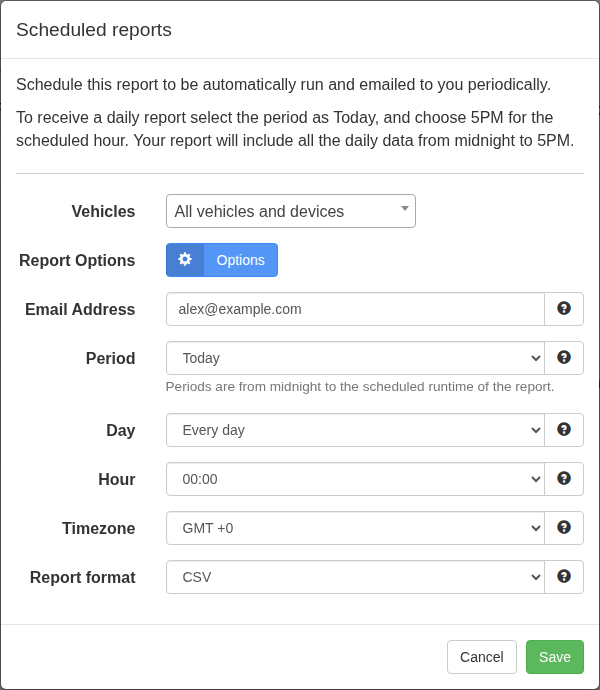
- Review the recipient, report choices and timezone, then save the schedule.
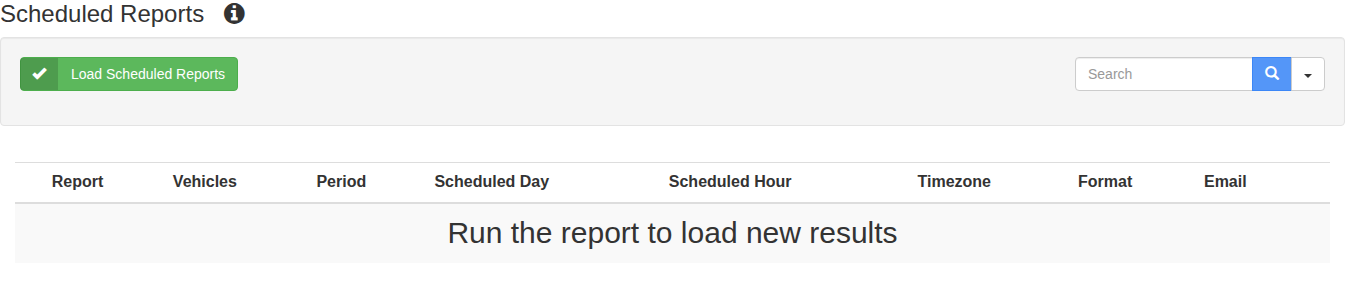
- Open Reports > Scheduled Reports and select Load Scheduled Reports. Confirm that the saved schedule shows the expected recipient and timing.
What happens next
Track My Ride runs the report at the saved interval and emails the output to the recipient. Use Scheduled Reports to review or delete schedules that are no longer needed. To change a schedule, recreate it with the new settings, verify the new row and then delete the superseded row.
Troubleshooting
- If the schedule is not listed, select Load Scheduled Reports again and confirm that the save completed.
- If an email arrives at the wrong time, compare the saved hour with the account timezone.
- If no email arrives, check the recipient address, schedule status and junk folder. Run the source report manually to confirm that it still returns data.
- If a schedule contains an incorrect setting, create a corrected schedule before deleting the original. Existing schedules cannot be edited in place.